
Clara - AI Receptionist
44pixelsBusiness
4.5322.00 Reviews
- Version
- 1.23.10
- Installs
- 50.00K
- Age Rating
- Everyone
Screenshots
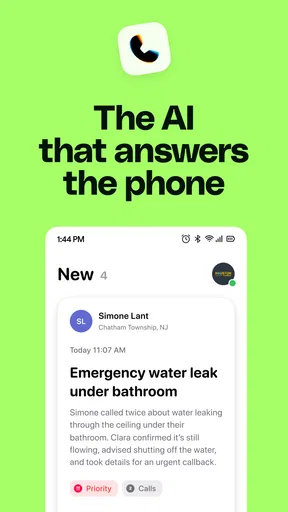
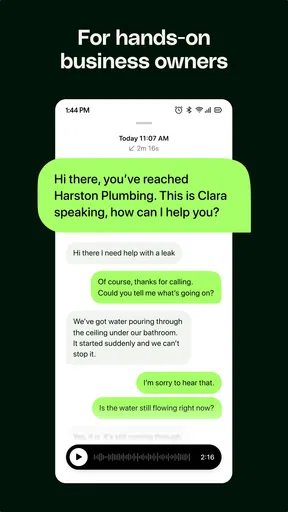
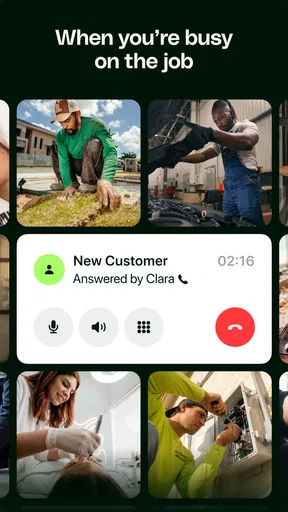
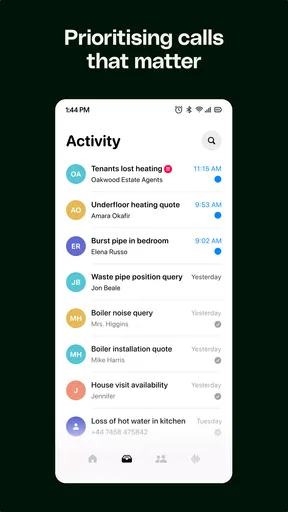
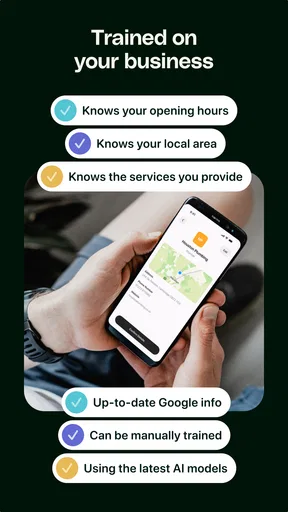
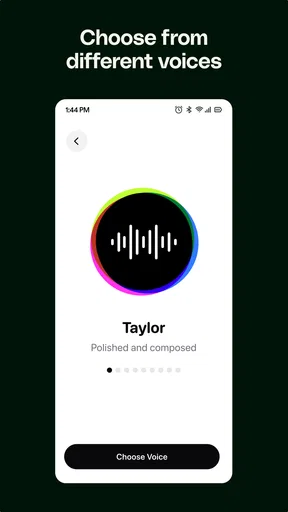
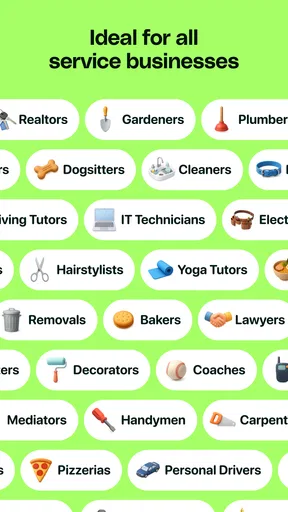
Our Review of Clara - AI Receptionist
 Analysis by Appyee
I approached Clara - AI Receptionist as a practical business tool rather than another general-purpose chatbot. Its purpose is easy to understand: it is designed to answer the phone with the help of AI, giving a small business or independent professional a way to handle incoming calls when a person cannot get there immediately. That narrow focus is also its appeal. Instead of asking an AI to draft messages or summarize documents, you are looking at an app built around one of the most disruptive everyday business tasks: responding to callers.
In my experience, the idea makes the most sense for people whose work is interrupted by ringing phones. A contractor on a job, a salon owner with both hands occupied, a consultant in a meeting, or a small office with no dedicated receptionist can all lose useful opportunities simply by missing a call. Clara aims to make that gap less damaging. It sits in the business category, comes from developer 44pixels, and presents itself as a focused phone-answering assistant rather than a broad office suite.
The app is free to install, and it is marked for Everyone, which makes the initial trial relatively approachable. Its current version is 1.23.10 and it runs on Android 8.0 or later. Those details matter because this is not a desktop-only concept: the usefulness depends on being able to keep the service close to the phone workflow you already use. I would still check that an older device behaves smoothly before relying on it for the main business line.
How Clara fits into a real working day
The strongest way to understand Clara is to imagine a normal day rather than a sales demonstration. Suppose I am repairing a leaking pipe in a customer’s home. My phone rings while I am using both hands, and answering would be inconvenient or unprofessional. A missed call may be a new job, a customer asking for an update, or an existing client needing a quick answer. An AI receptionist can act as the first point of contact, allowing the caller to explain why they are calling instead of meeting a dead end.
That does not mean the app replaces judgement. It changes the first step in the conversation. I would treat Clara as a filter and a front door: useful for receiving the initial request, collecting the basic purpose of the call, and helping prevent silence when I am unavailable. The important question is not whether an AI can sound like a human in every situation. It is whether the call is handled more usefully than it would be if nobody answered. For many small operators, that is a realistic and valuable standard.
A good workflow begins before the first busy period. I would decide which calls should be handled automatically and which situations deserve a direct response from me. I would also prepare clear wording for common boundaries, such as when I can return a call or what information a caller should have ready. The more carefully I define that workflow, the less likely the assistant is to create confusion. The app can help with availability, but it cannot compensate for an unclear business process.
One less obvious benefit is consistency. When I am tired, driving, dealing with a customer, or moving between appointments, my responses can become rushed. A receptionist-style tool offers a repeatable first contact instead of leaving every caller to guess whether the business is open or responsive. That consistency may be more valuable than an impressive conversation, especially for businesses where trust is built through simple reliability.
Free access and the meaning of paid value
Clara is free to download, but the app also lists in-app purchases ranging from $19.99 to $699.99 per item. I would not interpret the free entry point as proof that the complete receptionist experience costs nothing. The sensible approach is to install it, understand what the free access actually lets you do, and only then decide whether a paid option matches the number and importance of your calls.
This pricing range makes the value question highly dependent on the type of business using it. For someone who receives occasional calls and mostly wants to experiment, paying for a large package may be difficult to justify. For a business that regularly loses inquiries while staff are occupied, the calculation is different: one recovered customer or one avoided interruption can matter more than the app’s purchase price. I would base that decision on real call volume and the financial importance of those calls, not on the novelty of having an AI answer.
The free installation is therefore best viewed as a chance to evaluate fit, not as a guarantee of unlimited use. Before committing, I would pay attention to what is available without payment, how the paid options are presented, and whether the chosen level suits the way my business receives calls. Because the listed purchase amounts vary so widely, rushing into the highest option would be poor judgement unless the business already knows it needs that level of service.
There is also a practical budgeting issue. A receptionist is not only valuable when the phone rings; it is valuable when the business can depend on the arrangement. If a paid tier is appropriate, I would include it in the monthly operating budget and review whether it is producing useful contacts, fewer interruptions, or better response coverage. That is a more grounded test than asking whether the AI sounds clever.
Where the app can deliver genuine value
The clearest value is coverage during moments when answering is impossible. A small business often has no spare employee to monitor calls, and the owner may be the person doing the actual work. In that setting, Clara addresses a specific operational weakness. It can make a business feel more reachable without requiring the owner to stop every task whenever the phone rings.
I can also see value for appointment-based work. A caller who wants to ask about availability does not necessarily need the owner immediately. An automated first conversation may be enough to capture the reason for the call and create a cleaner follow-up task. The owner can then return the most relevant calls instead of working through a list of unknown numbers. That is a subtle improvement: the app may not finish the sale, but it can make the next human interaction more focused.
Another useful scenario is after-hours contact. Some businesses receive inquiries outside their preferred working time, while others operate on schedules that do not match a standard office day. A receptionist-style assistant can give callers a more informative first response than a generic unanswered call. I would still be careful about promising immediate help if I cannot provide it. Clear expectations are part of the value; vague reassurance can damage trust.
Clara may also help separate urgent calls from routine ones. That only works if the business has a sensible definition of urgency. A medical, legal, safety-related, or emotionally sensitive request should not be treated like a normal sales inquiry. In those environments, I would use the app conservatively and make sure callers are directed toward appropriate human or emergency help rather than assuming an AI receptionist is suitable for every issue.
The tradeoffs I would consider before relying on it
The first tradeoff is convenience versus control. A human receptionist can notice hesitation, understand unusual context, and decide when to interrupt the owner. An AI system may handle common conversations efficiently, but unusual wording or emotionally charged situations can expose its limits. I would not make it the only layer between the public and a business where a misunderstanding could have serious consequences.
The second is the risk of false confidence. An answered call feels better than a missed call, but an answered call is not automatically a well-handled call. I would review the early interactions carefully and look for recurring misunderstandings. If callers frequently need to repeat themselves or if important details are being lost, the apparent convenience may create extra work later.
There is also a human relationship tradeoff. Some customers prefer a real person, particularly when they already have an ongoing relationship with a business. Clara may be a strong first contact for routine inquiries, but I would offer a clear route to human assistance whenever possible. The best use is not to hide the business behind automation; it is to make sure automation handles the simple first step while people remain available for the situations that deserve them.
Privacy and trust should influence the decision as well. Phone conversations can include names, addresses, schedules, account details, and other sensitive information. I would avoid asking the assistant to handle information it does not genuinely need, and I would make sure the business’s call-handling wording is honest about the automated nature of the interaction where appropriate. Even when the technology works well, the way it is introduced can affect customer confidence.
Finally, there is the cost tradeoff. The free download lowers the barrier to testing, but the in-app purchase range means the paid commitment deserves attention. A business with very few calls may prefer voicemail and a callback routine. A business with frequent missed opportunities may find the expense easier to defend. Clara is not automatically cheaper than every alternative; its value depends on the cost of interruptions and missed contacts in a particular operation.
How it compares with familiar alternatives
The simplest alternative is voicemail. Voicemail is inexpensive, familiar, and gives the owner complete control over the callback. Its weakness is that many callers do not leave enough information, and some will not leave a message at all. Clara is more interesting when the business needs a richer first exchange than a tone and a recording. If the only requirement is “tell me who called,” voicemail may remain the cleaner choice.
A live receptionist offers the opposite balance. Human staff are better at nuance, empathy, exceptions, and judgement, but they cost more and may not be available at every moment. Clara is attractive when the business needs coverage without maintaining a staffed phone desk. I would choose a human service for high-value or sensitive conversations and consider Clara for routine intake, overflow, or periods when the owner is physically unable to answer.
General AI assistants are another comparison point, but they are not necessarily designed around phone reception. A broad assistant may be excellent for writing, planning, or answering questions, yet still be awkward as the front line for incoming business calls. Clara’s appeal comes from its narrower purpose. If I only need a writing assistant, this is the wrong tool. If my problem is missed phone contact, the focused design is more relevant.
For a larger company with established call routing, trained staff, and complex customer records, a full business phone system may be a better fit. Clara seems more naturally suited to the small-business gap between personal voicemail and a staffed reception desk. That distinction is important: the app can be useful without being the right foundation for a complicated contact center.
Who is most likely to benefit
I would recommend trying Clara first if I ran a one-person service business, worked independently, handled appointments, or spent much of the day away from a desk. It is especially relevant when the phone is important but hiring a receptionist would be excessive. The app’s business focus and simple premise make it easier to evaluate against a concrete problem: how many useful calls go unanswered because I am busy?
It may also suit a small team that needs overflow coverage. If every employee is occasionally pulled into meetings, deliveries, consultations, or hands-on work, an automated receptionist can reduce the number of calls that disappear into silence. The team should agree on who follows up, how quickly, and what information matters. Without that ownership, better call intake can simply produce a larger pile of unresolved requests.
I would be more cautious for businesses that depend on detailed technical diagnosis, confidential advice, negotiation, or emotional support during the first call. Those conversations often require a person who can ask the right follow-up questions and recognize when the caller’s words do not tell the whole story. In such cases, voicemail with a reliable callback, a live receptionist, or a specialized phone system may be a better choice.
The same caution applies if the business cannot tolerate any ambiguity about availability. An AI receptionist should not be used to imply that a person is monitoring every call in real time when that is not true. The owner needs a dependable follow-up habit. I would only recommend it to someone prepared to review incoming requests and act on them, not to someone hoping automation will remove the responsibility of customer contact.
My final judgement on trying Clara
Clara - AI Receptionist is most convincing when viewed as a practical buffer between a ringing phone and a busy owner. I like the focused problem it addresses: keeping a business reachable when nobody can answer personally. The free download makes experimentation reasonable, while the paid purchase range means I would evaluate the real benefit before spending more than the business can comfortably justify.
My advice would be to start with a limited, clearly defined workflow. Use it for routine inquiries, overflow, or periods when hands-on work makes answering impossible. Tell callers only what the business can genuinely deliver, review the resulting conversations, and adjust the process when misunderstandings appear. That trial will reveal more than a general impression of AI capability.
The app is not a universal replacement for a receptionist, a customer-service team, or a carefully managed phone system. It is a focused option for improving first contact, especially when the alternative is a missed call. With an average rating of 4.5 from around 3.9 thousand ratings and over 50 thousand installs, it has attracted meaningful attention, but those figures should support curiosity rather than replace a business-specific test.
My recommendation is to try it if missed calls are a regular, measurable problem. I would skip it if calls are rare, highly sensitive, or already handled well by voicemail or a human receptionist. For the right small business, Clara can turn an interruption into an organized follow-up. For the wrong one, it may simply add another layer between the caller and the person they actually need.
Verdict
Strengths of Clara - AI Receptionist
- Answers calls 24/7, even outside normal business hours.
- Reduces missed inquiries during busy periods.
- Can help maintain consistent responses to common questions.
- Useful for teams handling high call volumes.
- May free staff to focus on in-person customer service.
Limitations of Clara - AI Receptionist
- AI responses may feel less personal than speaking with a human.
- Unusual questions can lead to misunderstandings or incomplete answers.
- Setup may require time to configure business details and call flows.
- Ongoing subscription costs may not suit very small businesses.
- Callers may need a human transfer for sensitive or complex issues.
Similar Picks in This Category
View All
LinkedIn: Community & Network
LinkedIn3.8

Zoom Workplace
zoom.com4.1

Microsoft Teams
Microsoft Corporation4.6

Meta Business Suite
Meta Platforms, Inc.4.6

Webex Meetings
Cisco Systems, Inc.4.5

TeamViewer Remote Control
TeamViewer4.4
Frequently Asked Questions
What is Clara - AI Receptionist and what can it do?
Clara - AI Receptionist is an AI-powered communication assistant designed to help businesses manage incoming calls and messages. It can answer routine questions, collect caller details, qualify inquiries, schedule appointments, and pass important information to the appropriate person. Its usefulness depends on the business setup, available integrations, and how clearly the company defines its services, hours, and call-handling rules.
Is Clara suitable for every type of business?
Clara may be useful for businesses that receive frequent calls, need appointment scheduling, or want to respond to customers outside normal working hours. It can be particularly helpful for service providers, clinics, agencies, and local businesses. However, companies with highly specialized conversations, strict compliance requirements, or complex sales processes should test the system carefully before relying on it as their primary receptionist.
Can Clara schedule appointments and connect with existing business tools?
One of Clara’s main advantages is its ability to support scheduling and organize caller information, but the exact features depend on the account plan and supported integrations. Before downloading or subscribing, check whether it works with your calendar, customer relationship management system, phone provider, and other tools. Confirming these details first can prevent duplicate bookings or extra manual administration.
How accurate and natural are Clara’s AI conversations?
Clara is designed to communicate naturally and handle common receptionist tasks, but it is still an artificial intelligence system and may misunderstand accents, unusual requests, background noise, or complicated explanations. During testing, businesses should review call transcripts, recordings, transferred calls, and appointment details. Providing accurate business information and clear instructions can significantly improve the quality and consistency of its responses.
Is Clara - AI Receptionist safe for handling customer information?
Because Clara may process names, phone numbers, appointment details, and conversation content, privacy should be considered before using it for business calls. Review the provider’s privacy policy, data-retention practices, security measures, recording options, and compliance information. Businesses should also inform callers when required by local law and avoid sharing sensitive personal, medical, financial, or confidential information unless the service is appropriate for that use.
